DKIM explained: sign email, verify your domain, and rotate keys safely
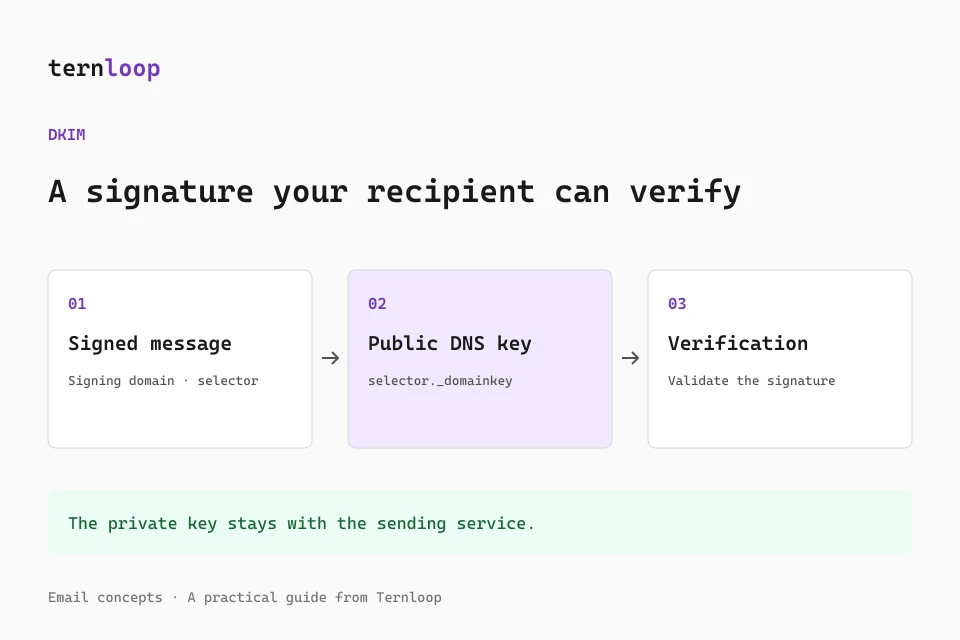
DomainKeys Identified Mail, or DKIM, lets a sending system attach a cryptographic signature to an email. A receiving system uses a public key in DNS to verify that signature and associate the message with a signing domain. For campaign teams, this creates a durable authenticated identity that can survive some delivery paths where SPF fails.
The setup is often described as adding a few DNS records, but publication is only part of the work. Your provider must sign real outgoing mail, the signature must survive the message pipeline, and the authenticated domain must align with the visible From domain if you want it to support DMARC. This guide walks through those checks and the maintenance that follows.
What a DKIM signature proves
DKIM verifies a signature over selected message headers and the body representation defined by the signing system. A successful check shows that the signed material matches the signature and that the verifier obtained a corresponding public key for the signing domain. It does not certify the truth of the message, prove a person wrote it, or guarantee inbox placement.
DKIM also does not encrypt email. The recipient can still read the message normally, and intermediaries can see content unless another transport or message encryption mechanism protects it. Do not confuse domain authentication with confidentiality. The public key is designed to be public; the private signing key must remain protected by your sending service.
Identify the signing domain and selector
A received email can contain a DKIM-Signature header with several tags. Two are especially useful for troubleshooting: d= identifies the signing domain, and s= identifies the selector. Together they tell the receiver where to find the key.
For a signature containing d=example.com and s=campaign2026, the lookup name is:
campaign2026._domainkey.example.com
This is a documentation example. Your provider chooses its own selectors and record values. A selector allows several keys to coexist under one domain, which helps when multiple providers send mail or when keys rotate. It is not a user password and does not need to match the visible sender's mailbox name.
Other signature tags describe the algorithm, canonicalization, body hash, signed header names, and signature value. Those fields are useful evidence when a key lookup succeeds but verification still fails. Save the complete raw message rather than copying only the first line of the signature.
Publish the provider's exact DNS records
Many managed providers supply CNAME records that delegate their selectors to provider managed key records. Others supply a TXT record containing the public key. Follow the specified record type exactly. A CNAME should not be replaced with a TXT containing the same destination string, and a public key should not be pasted into a field expecting a CNAME target.
Check how your DNS interface handles hostnames. It may append your domain automatically, so entering a complete lookup name can duplicate the zone suffix. Avoid publishing a CNAME alongside conflicting records at the same name. If the provider gives several selectors, add all required records and confirm each resolves publicly.
Use the provider's current values for your account and domain. Example keys in documentation cannot sign your actual mail. Never publish a private key, place it in a campaign template, or send it to a public testing tool. Managed services typically keep private keys entirely within their own infrastructure.
Turn signing on and test actual traffic
DNS records alone do not add a signature to messages. Your provider may require a verification step, a signing toggle, or selecting the authenticated domain in the sending configuration. Confirm that the campaign, transactional service, and employee mailbox routes you use each have their own signing setup.
After activation, send through the exact production path to a test mailbox. Open the original message and inspect authentication results added by the receiving system. Look for dkim=pass and the authenticated signing domain. Then compare that domain with the visible From address. A signature from a provider domain can pass DKIM while failing the alignment needed to authenticate your own From domain.
One test proves one route at one time. Repeat for scheduled sends, different applications, regional provider configurations, and any gateway that changes messages. Keep a small set of known good header samples so future changes have a clear baseline.
DKIM alignment and DMARC
DMARC can pass when at least one valid DKIM signature has an identifier aligned with the visible From domain. Under strict alignment, the two domain names must match exactly. Under relaxed alignment, they must share the applicable organizational domain. The updated DMARC standard uses DNS policy discovery to determine that domain, so complex delegated namespaces deserve particular care.
For a conventional setup, a signature from mail.example.com may align with [email protected] under relaxed alignment, while a signature from an unrelated provider domain does not. Changing your Reply-To address does not fix this, because DMARC evaluates the visible From domain. Ask your sending provider to configure customer domain signing rather than merely changing the display name.
Several DKIM signatures may appear on one message. A receiver can find a valid aligned signature even if another signature is invalid or belongs to an intermediary. Inspect the domains and results rather than assuming the first signature is the only relevant one.
Understand why content changes break signatures
DKIM signs the message as it leaves the signing system. A later gateway that rewrites links, adds a footer, converts MIME structure, or changes a signed subject can invalidate the signature. Some canonicalization modes tolerate limited whitespace changes, but they do not authorize arbitrary content edits.
Perform personalization, tracking link insertion, signature insertion, and template transformations before signing whenever you control the pipeline. If a downstream service must modify a message, that service may need to apply its own valid signature after the modification. Its signature still needs appropriate alignment to help DMARC for the original author domain.
Mailing lists and forwarding systems complicate this picture. Simple forwarding often preserves DKIM because it changes routing rather than signed content. A list that adds subject tags or body text may break the original signature. Investigate these indirect flows before applying a restrictive DMARC policy to a general employee domain.
Select an appropriate key and algorithm
Use modern provider defaults and follow updated guidance rather than copying old examples that use SHA-1 or very short keys. Gmail requires DKIM keys of at least 1024 bits and recommends 2048 bits when supported. A managed provider normally handles algorithm support and key generation, but you should still know its policy and rotation behavior.
Long TXT keys can be represented by several DNS character strings within one record. DNS clients concatenate those strings without adding spaces. That is different from creating several competing records at the same selector. Verify the published result from outside your DNS dashboard, especially when the interface splits a long value automatically.
If your DNS host cannot support the required record correctly, work with the provider or DNS operator. Weakening the key solely to fit a misunderstood interface creates unnecessary risk and can conflict with recipient requirements.
Rotate keys without interrupting verification
Routine rotation should use a new selector and key pair. Publish the new public record first and wait until it resolves correctly. Then switch the sending system to the new private key and selector. Keep the old public key available for a reasonable overlap period because previously signed messages may still be queued or verified later.
After the transition, check received messages for the new selector and verify that older traffic has drained. Retire the old selector according to your provider's instructions and documented retention needs. Avoid replacing a key in place under the same selector without understanding cached DNS responses; recipients could see the old key for a new signature or the new key for an old message.
A suspected private key compromise is different from routine rotation. Escalate to the provider or security owner, revoke affected signing capability, and investigate unauthorized sends. Keeping a compromised key active merely to preserve convenience is not an appropriate maintenance strategy.
Troubleshoot failed DKIM checks
Start with the exact d= and s= values in a received message. Confirm that the lookup resolves, the record type is correct, and the public key matches the provider's current selector. A missing key often indicates the wrong host, a retired selector, or unfinished propagation. A temporary lookup error points toward DNS availability.
If the key resolves but the body hash or signature fails, investigate content changes after signing, MIME transformations, algorithm support, and provider logs. Compare a direct test with a forwarded version to isolate where the change occurs. Do not repeatedly regenerate keys before establishing whether the failure is caused by DNS or message mutation.
For a passing signature with failing DMARC, inspect alignment. Authentication and alignment are separate questions, and a domain signing successfully for itself is not necessarily signing for your visible identity.
Keep authentication part of campaign preparation
Use the HTML email inliner before submission to reduce compatibility issues with embedded styles, and the email signature generator when preparing consistent sender details. Apply these content transformations before the sending service signs the final message.
Ternloop helps you prepare campaigns, organize contacts, schedule sends, and follow results. Maintain authentication records for the selected sending domain alongside that workflow. Review selectors whenever you migrate providers or change infrastructure, and retain a clear owner for DNS updates.
Further reading
Consult RFC 6376, its cryptographic updates in RFC 8301, and Google's sender guidelines. Continue with the DMARC guide and deliverability guide to connect signature verification with operational sending practices.