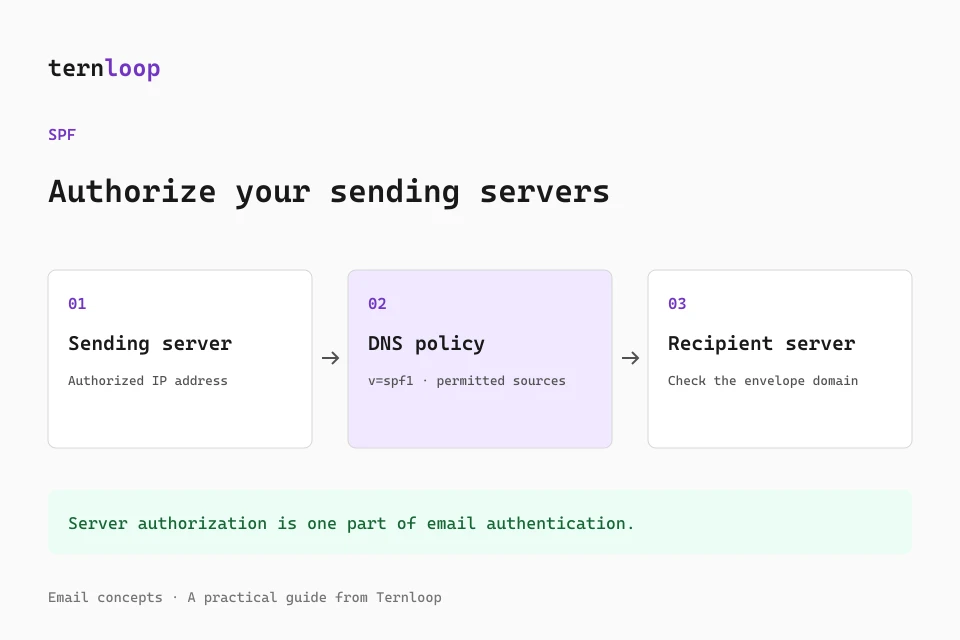
Your newsletter may display a familiar sender name, but a receiving mail server needs more than a name to decide whether the connection is authorized. Sender Policy Framework, or SPF, gives domain owners a way to publish that authorization in DNS. It is one part of a reliable email setup, alongside DKIM, DMARC, permission based list growth, and consistent sending behavior.
This guide explains the identity SPF actually checks, how to maintain a record when several services send your mail, and how to verify changes without interrupting legitimate messages. Authentication helps establish responsibility for a message. It does not guarantee inbox placement or prove that the content is welcome.
What SPF checks
SPF compares the IP address of the server connecting to the recipient with a policy published for an SMTP identity. For most ordinary messages, that identity comes from the envelope sender, also called the MAIL FROM or return path. The visible From address is a separate field and may use a different domain. SPF can also evaluate the HELO identity; special handling applies when the envelope sender is empty, as with some delivery notifications.
Imagine a campaign that displays [email protected] in From but uses [email protected] as its envelope sender. The receiver checks the SPF policy for mail.example.com, not automatically the policy at example.com. Editing the root domain record may therefore have no effect on that campaign. Start every investigation by identifying the actual envelope sender in a received message or your provider configuration.
Read an SPF record
An SPF policy is published as a DNS TXT record beginning with v=spf1. A simple teaching example looks like this:
v=spf1 ip4:192.0.2.24 include:_spf.example.net ~all
The IP and domains in this example are reserved documentation values, not a working configuration. Replace them only with values supplied by your own sending provider or verified infrastructure team. ip4 authorizes a specific IPv4 address or network. include asks the verifier to evaluate another domain policy. The final ~all expresses a soft fail for connections that did not match earlier authorizations.
Mechanisms are evaluated in order. A matching mechanism determines the result, while a syntax error or DNS problem can produce an error. Terms after an all mechanism are not useful because all matches every remaining connection. Do not paste a provider include after the ending qualifier and assume it will be evaluated.
Keep one SPF policy per hostname
A frequent configuration mistake is adding a second TXT record beginning with v=spf1 when onboarding another email service. SPF does not merge two policies. More than one selected policy at the same name can produce a permanent error.
Instead, edit the existing SPF policy for the relevant hostname and include all legitimate sources that need that identity. Unrelated TXT records, such as site verification values, can coexist. The restriction concerns multiple SPF policies, not multiple TXT records of every kind. A single TXT record may also contain several quoted strings that DNS concatenates; that is different from publishing separate policies.
Before changing anything, export the DNS zone or record the current value, TTL, purpose, and owner. This gives you a clear rollback reference and prevents accidental removal of another team's authorization. Coordinate edits when marketing, IT, finance, and support all use different sending services.
Inventory every legitimate sending source
List the tools that send employee mail, newsletters, product notifications, support replies, invoices, booking confirmations, and monitoring alerts. For each source, record the visible From domain, envelope domain, signing domain, vendor, and person responsible for the configuration. A vendor may use its own envelope domain by default and an optional custom return path when configured.
Ask the provider which DNS changes are actually necessary. Do not assume every service needs an include at your root domain. Some providers authenticate their envelope domain and use an aligned customer DKIM signature to satisfy DMARC. Others ask you to configure a dedicated envelope subdomain. Follow the setup for your selected sending identity rather than combining instructions from unrelated products.
Remove retired services only after confirming that queued messages, automated reports, and older integrations no longer use them. An unused authorization expands who can send with the identity and makes the policy harder to maintain.
Understand the DNS lookup limit
SPF limits the number of evaluated DNS query causing terms to ten. These include include, a, mx, ptr, exists, and redirect. Nested includes count too. A policy with four visible includes can exceed the limit if each included policy refers to several more domains. Direct ip4 and ip6 mechanisms do not consume that lookup term budget.
This is not simply a count of words in the root TXT record, and it is not a universal ten packet limit for every DNS activity. Additional processing limits apply to some mechanisms, including address lookups and void results. Use a standards aware SPF evaluator that follows nested policies and evaluates the paths your actual senders use.
When the policy approaches the limit, remove obsolete sources and separate legitimate streams onto appropriate envelope subdomains. Be cautious with manual flattening, which replaces vendor includes with IP lists. Vendor IPs can change, and an unmaintained flattened policy can stop authorizing legitimate mail. If you use a managed flattening service, understand its update process, ownership, and failure behavior.
Choose the ending qualifier deliberately
~all returns soft fail for an unmatched source. -all returns fail. ?all returns neutral, and +all authorizes every remaining source. The last option defeats the purpose of a restrictive authorization policy and should not be used as a quick fix for delivery problems.
A soft fail can be useful during a carefully monitored configuration transition, but it is not a substitute for identifying senders. Move to a stronger ending only when you understand legitimate traffic and the forwarding consequences. Some receivers evaluate SPF early enough to reject before checking an otherwise valid DKIM signature. The right choice depends on your environment and provider guidance, not a blanket promise that one qualifier always improves delivery.
For a domain that genuinely sends no mail, v=spf1 -all is a common declaration. Confirm that the exact hostname is unused for sending before publishing it. Apply appropriate DMARC protections too, because SPF alone does not protect the visible From identity.
Publish and verify the DNS change
Use the authoritative DNS provider, which may differ from the company where you registered the domain. Enter the correct hostname and TXT value. Some interfaces append the zone name automatically, so adding the full domain in the host field can accidentally create a duplicated name.
After saving, query the hostname from outside the provider dashboard. Allow for the previous TTL and resolver caching. A new value appearing in your control panel does not mean every recipient immediately sees it. Avoid repeatedly changing the record while older values remain cached.
Then send a test through each real source. Open the received message's original headers and inspect the recipient server's Authentication-Results. Record the SPF result and smtp.mailfrom identity. Trust results added by your receiving system rather than arbitrary headers supplied by the sender. A DNS lookup proves publication; a received message proves that a particular delivery path used it.
Troubleshoot failures in order
If SPF returns none, check whether the receiver evaluated the hostname you expected and whether a policy exists there. If it returns permerror, look for duplicate policies, syntax mistakes, broken includes, and excessive lookup terms. A temperror usually points to a temporary DNS problem rather than a missing authorization.
For fail or softfail, compare the connecting IP with the policy and confirm the provider's current instructions. Consider forwarding: a forwarder can keep the original envelope sender while delivering from a new IP, causing SPF to fail. Do not authorize every forwarder in your policy. An intact DKIM signature and properly understood DMARC behavior provide a more scalable approach to indirect delivery.
Keep the raw message, sending time, provider message ID, and DNS change history. These details let support distinguish an outdated resolver from a provider configuration mismatch.
SPF in your campaign workflow
Once authentication is verified, prepare the message itself. Use the subject line tester to inspect inbox copy and the HTML email preview to check mobile readability. These tools improve preparation; they do not test live DNS or replace received header verification.
Ternloop brings campaign writing, contact groups, scheduling, and results into one workspace. Pair that workflow with the DNS instructions for the sending domain you choose, then monitor actual delivery signals over time. Revisit the sender inventory whenever you add a service, change providers, or retire an integration.
Further reading
Read the SPF specification, RFC 7208, Google's sender guidelines, and the related email deliverability guide. Keep vendor specific DNS values in your operational documentation, not copied from a general tutorial.